- Welcome to EarnTheStar WebBoard : เอิร์น เดอะสตาร์ เว็บบอร์ด.

กระทู้ล่าสุด
#1
ห้องค้าขายสินค้าไจโอโฮม (Jio Home Store) / ถ้าจะกั้นรั้วทั้งที ใช้ระแนงไม...
กระทู้ล่าสุด โดย vs - วันนี้ เวลา 15:44:45🥊 **ศึกยักษ์ใหญ่! Meta ปิดประตูใส่หน้า TikTok!** 😂
Meta เจ้าของ Facebook และ Instagram ประกาศไม่รับโฆษณาจาก TikTok ในไทยและอีกหลายประเทศ
สงสัยเพิ่งนึกขึ้นได้ว่า...
"อ้าว! นี่ฉันรับเงินให้คู่แข่งมาแย่งลูกค้าตัวเองอยู่เหรอ!" 🤣
แหม...ถึงขั้นต้องกั้นรั้วกันเลยทีเดียว!
แต่จะบอกอะไรให้นะครับพี่ Meta...
**ถ้าจะกั้นรั้วทั้งที ใช้ระแนงไม้เทียม WPC ของเราก็ได้นะครับ สวย ทนแดดทนฝน ไม่ต้องกลัวคู่แข่งปีนข้าม!** 🤣
ส่วนพ่อค้าอย่างเราขอยืนดูอยู่ข้างรั้ว...
พี่ ๆ จะตบกันก็ตบไป แต่อย่าขึ้นค่าธรรมเนียมอีกก็แล้วกัน! 😂💸
🏡 JioHome: https://jio-home.com
*ไม้เทียมไจโอโฮม ผลิตในไทย มั่นใจได้ในคุณภาพ
ไจโอโฮม (Jio Home) แหล่งรวมวัสดุก่อสร้างวัสดุตกแต่งบ้าน
ซ่อมแซม ต่อเติมบ้าน พื้นไม้เทียม, ระแนง, ฝ้า, ผนัง, รั้ว, พลาสวูด, โซฟา, wood plastic composite, decking, slat, cladding, fence, wallpanel, facadewall, slatpanel, plaswood, sofa
สนใจไม้เทียม WPC สำหรับงานตกแต่งบ้าน ทักมาสอบถามได้ครับ
https://www.lazada.co.th/shop/jiohomeshop
https://shopee.co.th/jiohomeshop
กดสั่งซื้อทางออนไลน์ได้แล้ว
https://www.tiktok.com/@jiohomeshop
https://www.facebook.com/jiohomestore
https://www.facebook.com/jiohomeshop
https://www.youtube.com/@JioHomeShop
---
Line: https://line.me/ti/p/RTudpjdBuu
📳 088-3466515
✉ jiobaan66@gmail.com
📍 86 หมู่ 9 ซอยไร่ขิง 30 ถนนหลังวัดท่าพูด ตำบลไร่ขิง อำเภอสามพราน จังหวัดนครปฐม 73210
✆ 02-8102533
#Meta #TikTok #Facebook #ศึกโซเชียล #ระแนงไม้เทียม #รั้วไม้เทียม #JioHome #บ้านไม้เทียม
Meta เจ้าของ Facebook และ Instagram ประกาศไม่รับโฆษณาจาก TikTok ในไทยและอีกหลายประเทศ
สงสัยเพิ่งนึกขึ้นได้ว่า...
"อ้าว! นี่ฉันรับเงินให้คู่แข่งมาแย่งลูกค้าตัวเองอยู่เหรอ!" 🤣
แหม...ถึงขั้นต้องกั้นรั้วกันเลยทีเดียว!
แต่จะบอกอะไรให้นะครับพี่ Meta...
**ถ้าจะกั้นรั้วทั้งที ใช้ระแนงไม้เทียม WPC ของเราก็ได้นะครับ สวย ทนแดดทนฝน ไม่ต้องกลัวคู่แข่งปีนข้าม!** 🤣
ส่วนพ่อค้าอย่างเราขอยืนดูอยู่ข้างรั้ว...
พี่ ๆ จะตบกันก็ตบไป แต่อย่าขึ้นค่าธรรมเนียมอีกก็แล้วกัน! 😂💸
🏡 JioHome: https://jio-home.com
*ไม้เทียมไจโอโฮม ผลิตในไทย มั่นใจได้ในคุณภาพ
ไจโอโฮม (Jio Home) แหล่งรวมวัสดุก่อสร้างวัสดุตกแต่งบ้าน
ซ่อมแซม ต่อเติมบ้าน พื้นไม้เทียม, ระแนง, ฝ้า, ผนัง, รั้ว, พลาสวูด, โซฟา, wood plastic composite, decking, slat, cladding, fence, wallpanel, facadewall, slatpanel, plaswood, sofa
สนใจไม้เทียม WPC สำหรับงานตกแต่งบ้าน ทักมาสอบถามได้ครับ
https://www.lazada.co.th/shop/jiohomeshop
https://shopee.co.th/jiohomeshop
กดสั่งซื้อทางออนไลน์ได้แล้ว
https://www.tiktok.com/@jiohomeshop
https://www.facebook.com/jiohomestore
https://www.facebook.com/jiohomeshop
https://www.youtube.com/@JioHomeShop
---
Line: https://line.me/ti/p/RTudpjdBuu
📳 088-3466515
✉ jiobaan66@gmail.com
📍 86 หมู่ 9 ซอยไร่ขิง 30 ถนนหลังวัดท่าพูด ตำบลไร่ขิง อำเภอสามพราน จังหวัดนครปฐม 73210
✆ 02-8102533
#Meta #TikTok #Facebook #ศึกโซเชียล #ระแนงไม้เทียม #รั้วไม้เทียม #JioHome #บ้านไม้เทียม
#2
ห้องเอิร์น เดอะสตาร์ / Forecasts : The Ultimate Conve...
กระทู้ล่าสุด โดย Josephgob - 08 ต.ค 26, 23:27:54
Forecasts
Cuando el porvenir se convierte en fin de anГЎlisis: por quГ© susurro importantes los servicios modernos de pronГіstico Forecasts
El expectación siempre ha despertado la originalidad de las personas. Tratamos constantemente de abarcar cómo podr�a ponerse al d�a la econom�a durante los próximos meses, en dirección a dónde podr�an dirigirse los mercados financieros y las divisas, qué puede acaecer en el globo del pasatiempo y qué sucesos podr�an emocionar en nuestra empuje cotidiana.
Al mismo tiempo, la guisa de experimentar el sucesivo está cambiando. En cabo de servir únicamente de intuiciones y suposiciones subjetivas, los métodos modernos de pronóstico recurren cada tiempo más a la recopilación sistemática de información, el análisis de datos, las estad�sticas y los métodos matemáticos.
En saliente contexto está surgiendo una notificación generación de plataformas digitales dedicadas al análisis y al pronóstico de hechos futuros. Entre estos proyectos relativamente recientes se encuentra Outlok.club, una andamiada en l�nea centrada en el análisis de diferentes sucesos y en la evaluación de bienes escenarios futuros.
De enunciar los hazaГ±as a inquirir lo que puede acaecer
Un zona web ancestro de informativo informa principalmente sobre lo que ya ha ocurrido. Un procedimiento de análisis intenta constreñir por qué ocurrió determinado hecho. Las plataformas de pronóstico dan un escalera más y plantean una pregunta diferente: ¿qué podr�a perpetrarse a continuación?
Levante aproximaciГіn resulta especialmente enjuidioso en aquellos ГЎmbitos adonde las antecedentes cambian constantemente.
Los mercados financieros, las divisas y las criptomonedas pueden constatar movimientos importantes en periodos harto cortos. En el deporte, el resultado de una competición depende de numerosos factores, como el patria de modo de los participantes, las estad�sticas, los resultados anteriores y las condiciones particulares del trance.
Por eso, un pronóstico no deber�a abarraganarse simplemente como un investigación de adivinar un resultado. Se tráfico más bien de una trabajo anal�tica en la que pueden estudiarse diferentes variables y compararse varios escenarios recursos.
Mercados, divisas y criptomonedas
Los mercados financieros constituyen distinto de los ГЎmbitos naturales para el anГЎlisis de pronГіsticos.
Los precios de los activos estГЎn condicionados por numerosos factores. Entre ellos se encuentran los indicadores econГіmicos, las decisiones de los bancos centrales, los tipos de interГ©s, la inflaciГіn, las futuro de los participantes del bazar y los sucesos internacionales.
Todav�a para un analista experto puede redundar dif�cil albergar en escala simultáneamente todas las variables que pueden contagiar en una determinada situación.
La evolución de las divisas representa otro terreno de especial interés. Los tipos de transformación no dependen únicamente de la situación económica de cada pa�s. El almacén internacional, las pol�ticas monetarias, los tipos de interés, la inflación y las tendencias económicas globales también pueden desempeñar un papel noble. Forecasts
Las criptomonedas constituyen otro terrestre especialmente provechoso para el anГЎlisis. Su elevada volatilidad puede conducirse que las previsiones sean especialmente complejas. Los movimientos histГіricos de los precios, la dinГЎmica del mercado, los datos disponibles y el contexto noticiario pueden estudiarse conjuntamente para levantar diferentes escenarios bienes.
Estos eco tambiГ©n algunos de los ГЎmbitos temГЎticos presentes en Outlok.club.
El juego como ГЎmbito de pronГіstico
El entrenamiento se ha convertido desde hace época en un magn�fico ámbito para el análisis estad�stico. Forecasts
A primera vista, el resultado de un bando de fútbol, un cruce de tenis u otra competición puede pensamiento completamente impredecible. Sin embargo, detrás de cada cumpleaños ligero existe una gran puntuación de información estad�stica.
El número de victorias y derrotas, el jugo como restringido o visitante, la manera reciente, las estad�sticas individuales, los enfrentamientos anteriores y muchos otros indicadores pueden vestir para leer un asunto próximo.
Por supuesto, ningún método de pronóstico puede confirmar con absoluta veracidad el resultado de una competición deportiva. Ajustadamente el sujeto de indeterminación es una de las caracter�sticas que hacen salero al atletismo. Forecasts
Sin embargo, el análisis estad�stico permite otear un movimiento enamorado desde una tratamiento más estructurada.
Un pronГіstico no es una voto sobre el sucesivo
Una de las principales diferencias entre un pronóstico anal�tico y una exclusivo suposición se encuentra en el método deteriorado.
Un pronóstico no deber�a interpretarse como una afirmación de que un efeméride necesariamente va a advenir. El subsiguiente no es un guion invariable. La aparición de mensaje información puede permutar una situación y transfigurar las salidas sigla.
Por eso resulta mГЎs aparejado exponer de probabilidades y escenarios bienes.
Cuando determinados indicadores apuntan cerca de una evoluciГіn con decano probabilidad que otra, un anГЎlisis predictivo puede enfatizar esa alternativa. Sin embargo, los escenarios alternativos siguen siendo bienes.
Oriente comienzo es especialmente destacado en la econom�a y en los mercados financieros, adonde las condiciones pueden elaborar rápidamente.
Por quГ© aumenta el interГ©s por los pronГіsticos
La instituciГіn moderna estГЎ rodeada de una multitud extraordinario de informaciГіn.
Las informativo se publican durante todo el d�a, los indicadores económicos se actualizan constantemente y las estad�sticas deportivas melod�a cada vez más detalladas.
El desaf�o ya no consiste únicamente en hallar información. El auténtico apuesta es organizarla, compararla y vislumbrar qué significado puede aguantar.
Por esta razГіn, adquieren relevancia las herramientas capaces de poner en cobro grandes cantidades de informaciГіn y analizarlas de moda estructurada.
Desde esta perspectiva, los pronГіsticos pueden entenderse como una fase de orquestar la informaciГіn acondicionado para deliberar pertenencias desarrollos futuros.
Los hechos individuales tambiГ©n pueden estar interesantes
Las aplicaciones de los mГ©todos de pronГіstico no se limitan a los mercados financieros.
Cualquier ГЎmbito que disponga de datos medibles, informaciГіn histГіrica y determinados patrones de evoluciГіn puede convertirse potencialmente en objeto de anГЎlisis.
Econom�a, tecnolog�a, energ�a, clima, transporte, demograf�a, ejercicio y sucesos internacionales melod�a algunos de los campos en los que pueden aplicarse diferentes métodos de análisis predictivo.
Sin embargo, cada área tiene sus propias caracter�sticas.
Una metodolog�a adecuada para aprender la evolución de un gachó de proceso no tiene por qué funcionar de la misma guisa al inquirir un pandilla gimnástico o una propensión económica a dadivoso decenio.
Una informe forma de proclamar la informaciГіn sobre el espera
La apariciГіn de proyectos como Outlok.club reflejo una tesitura mГЎs amplia en el interior del Internet actual.
Las plataformas digitales ya no funcionan Гєnicamente como espacios adonde se almacena informaciГіn sobre el demodГ© y el coetГЎneo. TambiГ©n se estГЎn convirtiendo en entornos donde pueden estudiarse diferentes potencial relacionadas con el expectativa.
La pregunta ya no es solamente:
«¿Qué ha ocurrido?»
Cada oportunidad cobra mГЎs repercusiГіn otra pregunta:
«¿Qué podr�a producirse después?»
No existe una faceta de objetar a esta pregunta con fiabilidad absoluta. Sin embargo, s� es plausible agrupar datos, asemejar distintos factores, probar tendencias históricas y establecer varios escenarios fortuna. Forecasts
As� ah� reside el coste de los métodos de pronóstico como instrumento anal�tica.
El sucesivo siempre permanece accesible
NingГєn pronГіstico puede cargarse por pormenorizado la perplejidad.
Los acontecimientos reales suelen individuo más complejos que los modelos utilizados para estudiarlos, y un negociador rápido puede trastornar hasta el c�rculo detallado con máximo consideración.
A compunciГіn de ello, desmenuzar el expectativa sigue teniendo un baladronada levantado.
Oriente causa permite acechar los datos con decano atención, ojear patrones, equiparar diferentes facultad e identificar los factores que podr�an ahorrar una longevo influencia sobre el progreso de una situación.
Outlok.club circunstancia fragmento de los nuevos proyectos que exploran saliente punto de vista internamente del ГЎmbito digital. Entre sus principales ГЎreas de interГ©s se encuentran los mercados, las divisas, las criptomonedas y el deporte, reunidos en torno a de una misma idea: descifrar las posesiones evoluciones de carrera futuros.
Quizá esta sea una de las caracter�sticas de una comunicación generación de excusado digitales de información. En circunstancia de circunscribirse a instruir lo que ya ha ocurrido, estos proyectos buscan ofrendar una fase estructurada de recordar sobre lo que podr�a sobrevenir a continuación.
El siguiente no puede conocerse con absoluta realismo. Sin embargo s� puede estudiarse, analizarse y contemplarse a través de diferentes escenarios intereses.
#3
ห้องเว็บและโปรแกรม / ต่อ: smf
กระทู้ล่าสุด โดย vs - 08 ต.ค 26, 15:19:53โค๊ด เลือก
# SMF 2.1.7 — คู่มือติดตั้ง YouTube แนวตั้ง 9:16

**คู่มือฉบับใช้งานจริง | 8 ตุลาคม 2026**

ต้นฉบับของคู่มือนี้เป็นโค้ดที่ดึงตรงจากแพ็กเกจ `SMF_YouTube_Vertical_2.1.7.zip` ซึ่งผู้ใช้ได้นำ 3 ไฟล์ไปติดตั้งแล้ว **ยืนยันว่าช่อง "วิดีโอแนวตั้ง 9:16" ปรากฏในหน้าต่างแทรก YouTube** อย่างถูกต้อง ณ วันดังกล่าว แต่ยังไม่ใช่การยืนยันการเล่นวิดีโอทุกลักษณะหรือทุกธีม

## จุดประสงค์
- แทรก YouTube แบบปกติผ่าน `[youtube]VIDEO_ID[/youtube]` ตามเดิม
- เพิ่มทางเลือกแนวตั้งผ่าน `[youtube=vertical]VIDEO_ID[/youtube]`
- ในหน้าเขียนกระทู้ มี Checkbox `วิดีโอแนวตั้ง 9:16` ให้เลือกเอง
- สำหรับแนวตั้งกำหนดพื้นที่แสดงอัตราส่วน **9:16** กว้างสูงสุด 360px และรองรับหน้าจอแคบ

## ไฟล์ที่แก้ (3 ไฟล์)
| ไฟล์ | ตำแหน่งภายในโฟลเดอร์ forum |
|---|---|
| `Subs.php` | `Sources/Subs.php` |
| `index.css` | `Themes/default/css/index.css` |
| `jquery.sceditor.smf.js` | `Themes/default/scripts/jquery.sceditor.smf.js` |

**ข้อสำคัญ:** คัดลอกทั้งโค้ดต้นฉบับของ SMF 2.1.7 มาแก้เฉพาะส่วน อย่านำทั้งไฟล์ที่แนบไปทับ SMF เวอร์ชันอื่นหรือเว็บที่มีส่วนขยาย/ธีมปรับแต่งโดยไม่เปรียบเทียบก่อน

## ขั้นตอนก่อนแก้
1. สำรองทั้ง 3 ไฟล์จากเว็บปลายทาง โดยระบุวันที่และชื่อเว็บ เช่น `backup_2026-10-08` และเก็บไฟล์ที่ใช้งานจริงไว้ต่างหาก
2. ตรวจสอบเวอร์ชัน SMF (ชุดนี้ใช้กับ **2.1.7**) และธีมที่ใช้งานจริง ถ้าไม่ใช่ `default` ต้องตรวจว่าโหลด JS/CSS จากตำแหน่งใด
3. ใช้การแทนที่ชุด YouTube เดิมใน JS ไม่เพิ่ม `set('youtube')` ซ้ำ

## 1) `Sources/Subs.php`
ค้นหา array ที่มี `'tag' => 'youtube'` และ `'type' => 'unparsed_content'` ซึ่งรองรับวิดีโอปกติ

**เพิ่ม array นี้ไว้ทันที *ก่อน* array YouTube ปกติ โดยไม่ลบของเดิม:**

```php
// YouTube Shorts / portrait videos, [youtube=vertical]VIDEO_ID[/youtube]
			array(
				'tag' => 'youtube',
				'type' => 'unparsed_equals_content',
				'test' => 'vertical\]',
				'content' => '<div class="videocontainer" data-youtube-orientation="vertical"><div><iframe frameborder="0" src="https://www.youtube.com/embed/$1?origin=' . $hosturl . '&wmode=opaque" data-youtube-id="$1" allowfullscreen loading="lazy"></iframe></div></div>',
				'disabled_content' => '<a href="https://www.youtube.com/watch?v=$1" target="_blank" rel="noopener">https://www.youtube.com/watch?v=$1</a>',
				'block_level' => true,
			),
```

เหตุผล: YouTube แนวตั้งต้องถูกแยกด้วย `'type' => 'unparsed_equals_content'` และ `test => 'vertical\]'` เพื่อจับ `[youtube=vertical]` ก่อนกรณี YouTube ทั่วไป

## 2) `Themes/default/css/index.css`
เพิ่มบล็อกนี้ **หนึ่งครั้งที่ท้ายไฟล์** (ถ้ามีบล็อกแนวตั้งเก่าอยู่แล้ว ให้แทนที่ ไม่เพิ่มซ้ำ):

```css
/* YouTube portrait video 9:16 */
.videocontainer[data-youtube-orientation="vertical"] {
	display: inline-block;
	vertical-align: top;
	width: 360px;
	max-width: 100%;
	margin: 0 12px 12px 0;
}
.videocontainer[data-youtube-orientation="vertical"] > div {
	padding-bottom: 177.7777778%;
}
```

`padding-bottom: 177.7777778%` คืออัตราส่วนสูงต่อกว้าง 16:9 สำหรับกรอบแนวตั้ง **กว้าง:สูง = 9:16**

## 3) `Themes/default/scripts/jquery.sceditor.smf.js`
ต้องแก้ **สองจุด** ในไฟล์เดียวกัน โดยใช้ **แทนที่** โค้ดเดิม ไม่ใช่แปะท้ายไฟล์เพิ่ม

### 3A — แทนที่ `sceditor.command.set('youtube', ...)` ทั้งชุด
ค้นหา `sceditor.command.set(` ที่มี `'youtube'` (ของ SMF เดิมมี `exec` แต่ยังไม่มีช่องติ๊ก) แล้วแทนที่ทั้งคำสั่งด้วย:

```javascript
sceditor.command.set(
	'youtube', {
		_dropDown: function (editor, caller, callback) {
			var content = document.createElement('div');
			var label = document.createElement('label');
			label.textContent = editor._('Video URL:');
			label.style.display = 'block';
			label.style.marginBottom = '4px';

			var input = document.createElement('input');
			input.type = 'text';
			input.placeholder = 'https://';
			input.style.width = '100%';
			input.style.boxSizing = 'border-box';

			var verticalWrap = document.createElement('label');
			verticalWrap.style.display = 'block';
			verticalWrap.style.marginTop = '10px';
			verticalWrap.style.marginBottom = '10px';
			verticalWrap.style.cursor = 'pointer';
			var vertical = document.createElement('input');
			vertical.type = 'checkbox';
			vertical.style.marginRight = '6px';
			verticalWrap.appendChild(vertical);
			verticalWrap.appendChild(document.createTextNode('วิดีโอแนวตั้ง 9:16'));

			var button = document.createElement('button');
			button.type = 'button';
			button.className = 'button';
			button.textContent = editor._('Insert');

			content.appendChild(label);
			content.appendChild(input);
			content.appendChild(verticalWrap);
			content.appendChild(button);

			function insertYoutube(e) {
				var val = input.value.trim();
				var idMatch = val.match(/(?:v=|v\/|embed\/|youtu\.be\/|shorts\/)([a-zA-Z0-9_-]{11})/);
				if (!idMatch && /^[a-zA-Z0-9_-]{11}$/.test(val))
					idMatch = [val, val];

				var timeMatch = val.match(/[&?](?:start|t)=((\d+[hms]?){1,3})/i);
				var time = 0;
				if (timeMatch) {
					timeMatch[1].split(/[hms]/).forEach(function (part) {
						if (part !== '')
							time = (time * 60) + Number(part);
					});
				}

				if (idMatch)
					callback(idMatch[1], time, vertical.checked);

				editor.closeDropDown(true);
				if (e)
					e.preventDefault();
			}

			button.addEventListener('click', insertYoutube);
			input.addEventListener('keypress', function (e) {
				if (e.key === 'Enter') insertYoutube(e);
			});
			editor.createDropDown(caller, 'insertlink', content);
			setTimeout(function () { input.focus(); }, 0);
		},
		exec: function (caller) {
			var editor = this;
			editor.commands.youtube._dropDown(editor, caller, function (id, time, isVertical) {
				var orientation = isVertical ? ' data-youtube-orientation="vertical"' : '';
				editor.wysiwygEditorInsertHtml(
					'<div class="videocontainer"' + orientation + '><div>' +
					'<iframe frameborder="0" allowfullscreen src="https://www.youtube-nocookie.com/embed/' +
					id + '?wmode=opaque&start=' + time + '" data-youtube-id="' + id +
					'" loading="lazy"></iframe></div></div>'
				);
			});
		},
		txtExec: function (caller) {
			var editor = this;
			editor.commands.youtube._dropDown(editor, caller, function (id, time, isVertical) {
				editor.insertText('[youtube' + (isVertical ? '=vertical' : '') + ']' + id + '[/youtube]');
			});
		}
	}
);
```

### 3B — แทนที่ `sceditor.formats.bbcode.set('youtube', ...)` ทั้งชุด
ค้นหา `sceditor.formats.bbcode.set(` ที่มี `'youtube'` และ **แทนที่ชุดเดิมทั้งหมด** ด้วย:

```javascript
sceditor.formats.bbcode.set(
	'youtube', {
		allowsEmpty: true,
		tags: {
			div: { class: 'videocontainer' }
		},
		isInline: false,
		skipLastLineBreak: true,
		format: function (element, content) {
			var $element = $(element);
			var youtube_id = $element.find('iframe').data('youtube-id');
			var orientation = $element.attr('data-youtube-orientation');
			if (typeof youtube_id !== 'undefined')
				return '[youtube' + (orientation === 'vertical' ? '=vertical' : '') + ']' + youtube_id + '[/youtube]';
			return content;
		},
		html: function (token, attrs, content) {
			if (!/^[a-zA-Z0-9_-]{11}$/.test(content))
				return content;
			var orientation = attrs.defaultattr === 'vertical' ? ' data-youtube-orientation="vertical"' : '';
			return '<div class="videocontainer"' + orientation + '><div>' +
				'<iframe frameborder="0" src="https://www.youtube-nocookie.com/embed/' + content +
				'?wmode=opaque" data-youtube-id="' + content +
				'" loading="lazy" allowfullscreen></iframe></div></div>';
		}
	}
);
```

**ก่อนบันทึก ตรวจอีกครั้ง:** ต้องมี `sceditor.command.set('youtube', ...)` เพียงชุดเดียว และ `sceditor.formats.bbcode.set('youtube', ...)` เพียงชุดเดียว (อย่าให้ BBCode YouTube ถูกประกาศซ้ำ)

## สิ่งที่ผิดในบันทึกเดิม และสิ่งที่แก้
1. **PHP:** บันทึกเดิมมี `;` หลัง `'?origin='` ทำให้ต่อ PHP String กับ `$hosturl` ไม่ถูกต้อง โค้ดที่ถูกคือ `'?origin=' . $hosturl . '&wmode=opaque'` (ไม่มี `;` กลาง expression)
2. **JavaScript:** URL `'.../embed/'; +` มี semicolon เกิน **2 ตำแหน่ง** (คำสั่ง Insert และการแปลง BBCode) ต้องเป็น `'.../embed/' +`
3. **JS BBCode:** ข้อความว่า "และเพิ่มตอนท้าย" ทำให้ประกาศ YouTube ซ้ำ ต้อง "**แทนที่ชุดเดิม**"
4. **CSS:** บันทึกเดิมกำหนด `.videocontainer[data-youtube-orientation="vertical"]` สองครั้ง การทำงานไม่จำเป็นต้องเสีย แต่ควรรวมเหลือกฎชุดเดียวอย่างในคู่มือนี้

## ทดสอบหลังอัปโหลด
1. อัปโหลดไฟล์ทั้ง 3 ไปยังตำแหน่งที่กำหนด (ชื่อไฟล์บนเซิร์ฟเวอร์ต้องตรงตามตาราง ไม่ใช่ชื่อ `(2)` ที่ดาวน์โหลด)
2. ไปหน้าเขียนกระทู้ กด `Ctrl + F5` เพื่อโหลด CSS และ JS ใหม่ แล้วกดปุ่ม YouTube
3. ต้องเห็น URL + **Checkbox "วิดีโอแนวตั้ง 9:16"** + ปุ่มแทรก
4. ทดสอบวิดีโอปกติ **ไม่ติ๊ก** → สร้าง `[youtube]VIDEO_ID[/youtube]`
5. ทดสอบวิดีโอแนวตั้ง **ติ๊ก** → สร้าง `[youtube=vertical]VIDEO_ID[/youtube]`
6. บันทึกกระทู้และเปิดดูบนคอมพิวเตอร์/มือถือ จากนั้นแก้ไขกระทู้อีกครั้งเพื่อตรวจว่า tag แนวตั้งยังอยู่

## ถ้า Checkbox ยังไม่ขึ้น
**อย่ารีบแก้สามไฟล์ใหม่** ให้ตรวจเส้นทาง JS ที่ Browser โหลดก่อน: F12 → Network → ค้นหา `jquery.sceditor.smf.js` → ดู `Request URL` ว่ามาจาก Theme/Path ที่อัปโหลดหรือไม่ หากใช้ไฟล์รวม/minified หรือ cache ต้องปรับตามไฟล์ที่เว็บใช้จริง

## การย้อนกลับ (Rollback)
คืน `Subs.php`, `index.css`, และ `jquery.sceditor.smf.js` จาก Backup ของเว็บเดียวกันและช่วงเวลาเดียวกัน แล้ว Hard Refresh อีกครั้ง

## ไฟล์สำเร็จรูป
ในแพ็กเกจ ZIP คู่มือ จะมีไฟล์ที่ใช้งานได้จริงอยู่ในโครงสร้าง `Sources/` และ `Themes/default/` พร้อมแพตช์เทียบกับ Baseline ที่ผู้ใช้ส่งมาเป็น `* (2)` โดยไม่รวมข้อมูลบัญชีหรือค่าติดตั้งเว็บอื่น
#4
ห้องค้าขายสินค้าไจโอโฮม (Jio Home Store) / ไม้เทียมไจโอโฮม ผลิตในไทย มั่น...
กระทู้ล่าสุด โดย vs - 08 ต.ค 26, 14:21:49🌳 เมื่อผืนป่าถูกทำลาย... หลายชีวิตก็สูญเสียบ้าน
ข่าวใหญ่จาก INTERPOL เตือนให้เราตระหนักถึงคุณค่าของธรรมชาติ
💚 ทุกการเลือกมีความหมาย แม้แต่การเลือกวัสดุสร้างบ้าน
JioHome | ไม้เทียม WPC ทางเลือกสำหรับบ้านยุคใหม่
*ไม้เทียมไจโอโฮม ผลิตในไทย มั่นใจได้ในคุณภาพ
ไจโอโฮม (Jio Home) แหล่งรวมวัสดุก่อสร้างวัสดุตกแต่งบ้าน
ซ่อมแซม ต่อเติมบ้าน พื้นไม้เทียม, ระแนง, ฝ้า, ผนัง, รั้ว, พลาสวูด, โซฟา, wood plastic composite, decking, slat, cladding, fence, wallpanel, facadewall, slatpanel, plaswood, sofa
สนใจไม้เทียม WPC สำหรับงานตกแต่งบ้าน ทักมาสอบถามได้ครับ
JioHome Shop
🌐 https://jio-home.com
https://www.lazada.co.th/shop/jiohomeshop
https://shopee.co.th/jiohomeshop
กดสั่งซื้อทางออนไลน์ได้แล้ว
https://www.tiktok.com/@jiohomeshop
https://www.facebook.com/jiohomestore
https://www.facebook.com/jiohomeshop
https://www.youtube.com/@JioHomeShop
---
Line: https://line.me/ti/p/RTudpjdBuu
📳 088-3466515
✉ jiobaan66@gmail.com
📍 86 หมู่ 9 ซอยไร่ขิง 30 ถนนหลังวัดท่าพูด ตำบลไร่ขิง อำเภอสามพราน จังหวัดนครปฐม 73210
✆ 02-8102533
#ไม้เทียมWPC #วัสดุทดแทนไม้ #รั้วไม้เทียม #ระแนงไม้เทียม #แต่งบ้าน #แต่งสวน #JioHome #รักษ์ธรรมชาติ #INTERPOL
ข่าวใหญ่จาก INTERPOL เตือนให้เราตระหนักถึงคุณค่าของธรรมชาติ
💚 ทุกการเลือกมีความหมาย แม้แต่การเลือกวัสดุสร้างบ้าน
JioHome | ไม้เทียม WPC ทางเลือกสำหรับบ้านยุคใหม่
*ไม้เทียมไจโอโฮม ผลิตในไทย มั่นใจได้ในคุณภาพ
ไจโอโฮม (Jio Home) แหล่งรวมวัสดุก่อสร้างวัสดุตกแต่งบ้าน
ซ่อมแซม ต่อเติมบ้าน พื้นไม้เทียม, ระแนง, ฝ้า, ผนัง, รั้ว, พลาสวูด, โซฟา, wood plastic composite, decking, slat, cladding, fence, wallpanel, facadewall, slatpanel, plaswood, sofa
สนใจไม้เทียม WPC สำหรับงานตกแต่งบ้าน ทักมาสอบถามได้ครับ
JioHome Shop
🌐 https://jio-home.com
https://www.lazada.co.th/shop/jiohomeshop
https://shopee.co.th/jiohomeshop
กดสั่งซื้อทางออนไลน์ได้แล้ว
https://www.tiktok.com/@jiohomeshop
https://www.facebook.com/jiohomestore
https://www.facebook.com/jiohomeshop
https://www.youtube.com/@JioHomeShop
---
Line: https://line.me/ti/p/RTudpjdBuu
📳 088-3466515
✉ jiobaan66@gmail.com
📍 86 หมู่ 9 ซอยไร่ขิง 30 ถนนหลังวัดท่าพูด ตำบลไร่ขิง อำเภอสามพราน จังหวัดนครปฐม 73210
✆ 02-8102533
#ไม้เทียมWPC #วัสดุทดแทนไม้ #รั้วไม้เทียม #ระแนงไม้เทียม #แต่งบ้าน #แต่งสวน #JioHome #รักษ์ธรรมชาติ #INTERPOL
#5
ห้องซื้อขายของทั่วไป / ขายด่วนที่ดิน 4 ไร่ 3 ตรว. บาง...
กระทู้ล่าสุด โดย ryry005 - 08 ต.ค 26, 13:02:36
ขายที่ดิน บางนา กม.25 (พื้นที่สีแดง) เนื้อที่ 4 ไร่ 3 ตรว. ติดถนนบางนา‑ตราด ฝั่งขาออก
ราคาขาย 60,000 บาท /ตรว.
.
สถานที่ตั้ง: ถ.บางนาตราด กม. 25 (ขาออก) ตําบลบางเสาธง อ.บางเสาธง จ.สมุทรปราการ
GPS Google: 13.5919557,100.8195675
Location: https://goo.gl/maps/r4inqkR5uDQ2
ขนาดเนื้อที่: 4-0-3 ไร่ (1,603 ตร.ว. หรือ 6,412 ตร.ม.)
.
ลักษณะที่ดิน: ที่ดินมีลักษณะเป็นรูปหลายเหลี่ยม ซึ่งตั้งอยู่ติดบนถนนบางนา - ตราด
หน้ากว้าง: ประมาณ 20 เมตร, ลึก: ประมาณ 180 เมตร ระดับที่ดินเท่าพื้นถน
.
- ที่ดินทําเลดีติดถนนบางนา-ตราด กม.25 (ศูนย์กลางของโรงงานอุตสาหกรรมและใกล้สนามบินสุวรรณภูมิ)
- เหมาะสําหรับลงทุนสร้างโชว์รูม โกดังสินค้า โรงงาน
.
สนใจติดต่อสอบถาม รายละเอียดเพิ่มเติม โทร / LINE: 090-6360022
----------


#6
ห้องซื้อขายของทั่วไป / ขาย/ให้เช่า บ้านเดี่ยวหลังใหญ่...
กระทู้ล่าสุด โดย ryry005 - 08 ต.ค 26, 12:12:43
ขาย/ให้เช่า บ้านเดี่ยว 2 ชั้น
หมู่บ้านเพอร์เฟคเพลส พระราม 9-กรุงเทพกรีฑา
ทำเลดีมาก บรรยากาศร่มรื่น มีต้นไม้เยอะ ระบบความปลอดภัยดีเยี่ยม อยู่ติดถนนกรุงเทพกรีฑา
:: รายละเอียด ::
- บ้านเดี่ยว 2 ชั้น
- เนื้อที่ 74.5 ตร.ว
- พื้นที่ใช้สอย 176 ตร.ม
-บ้านหันหน้าทิศใต้
- 4 ห้องนอน 3 ห้องน้ำ 1 ห้องครัว 1 ห้องนั่งเล่น 1 ห้องพระ
- บ้านใหม่ มีเฟอร์นิเจอร์ให้ตามรูป มีแอร์ ครบทุกห้อง
- จอดรถได้ 4 คัน
:: สิ่งอำนวยความสะดวกภายในโครงการ ::
- สวนหย่อม,สนามเด็กเล่น,ระบบCCTV,ระบบรักษาความปลอดภัย 24ชั่วโมง
:: สถานที่สำคัญใกล้เคียง ::
- ใกล้โรงเรียนนานาชาติไบรท์ตัน
- สถานีรถไฟฟ้า Airport Rail Link ด่านทับช้าง
- โรงพยาบาลสมิติเวช ศรีนครินทร์ กิโลเมตร
- มหาวิทยาลัย ABAC
- บิ๊กซี ร่มเกล้า
-มาร์เก็ตเพลส กรุงเทพกรีฑา
เช่า 70,000/เดือน (พร้อมเข้าอยู่ เดือนสิงหาคม)
ขาย 13.9 ล้านบาท (ค่าใช้จ่ายวันโอนคนละครึ่ง)
**ไม่รับคนเลี้ยงสัตว์**
สอบถามเพิ่มเติม 098-428- 2935 คุณตา
**ยินดีรับเอเจ้นท์


#7
ห้องค้าขายสินค้าไจโอโฮม (Jio Home Store) / วัสดุทดแทนไม้ธรรมชาติ
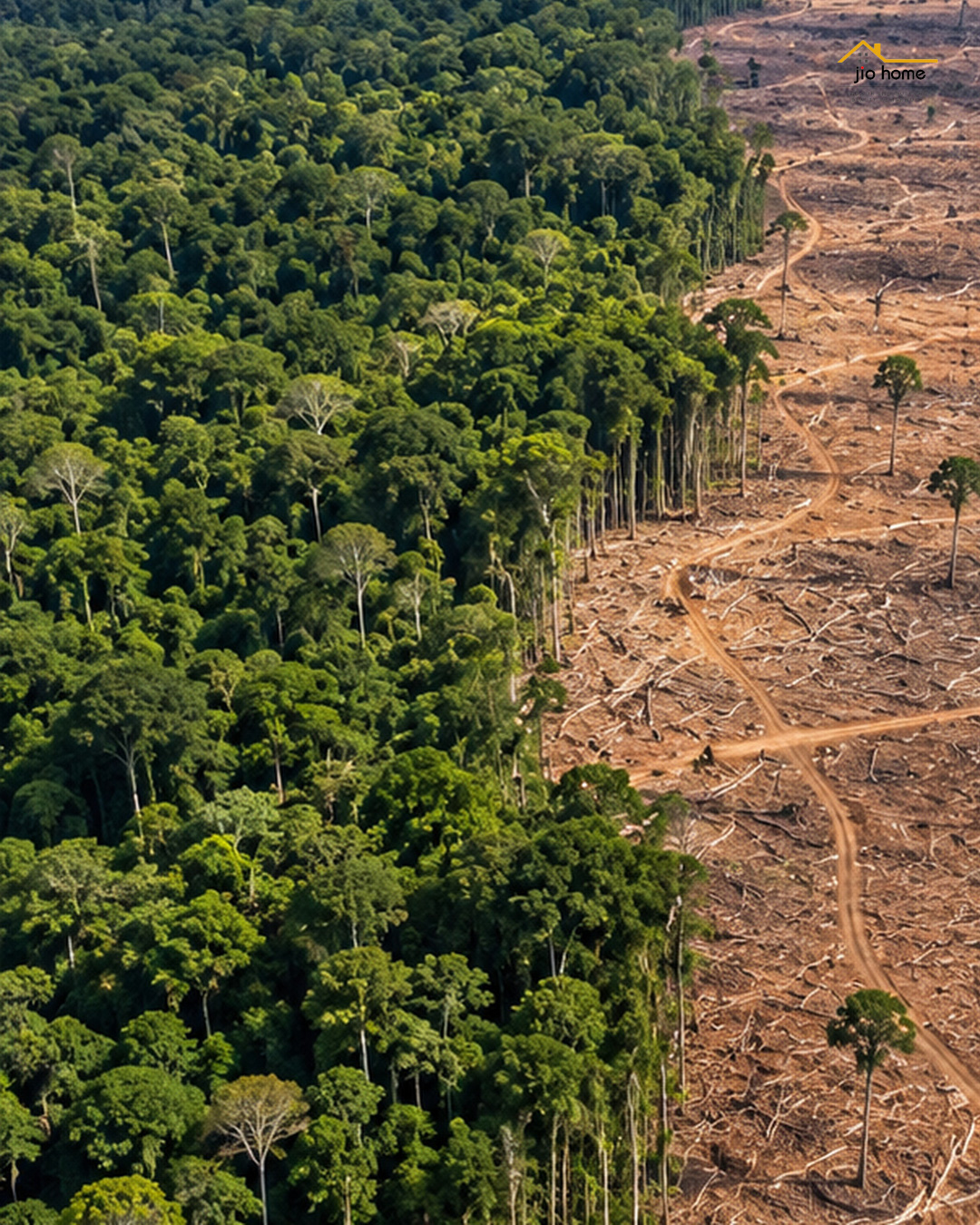
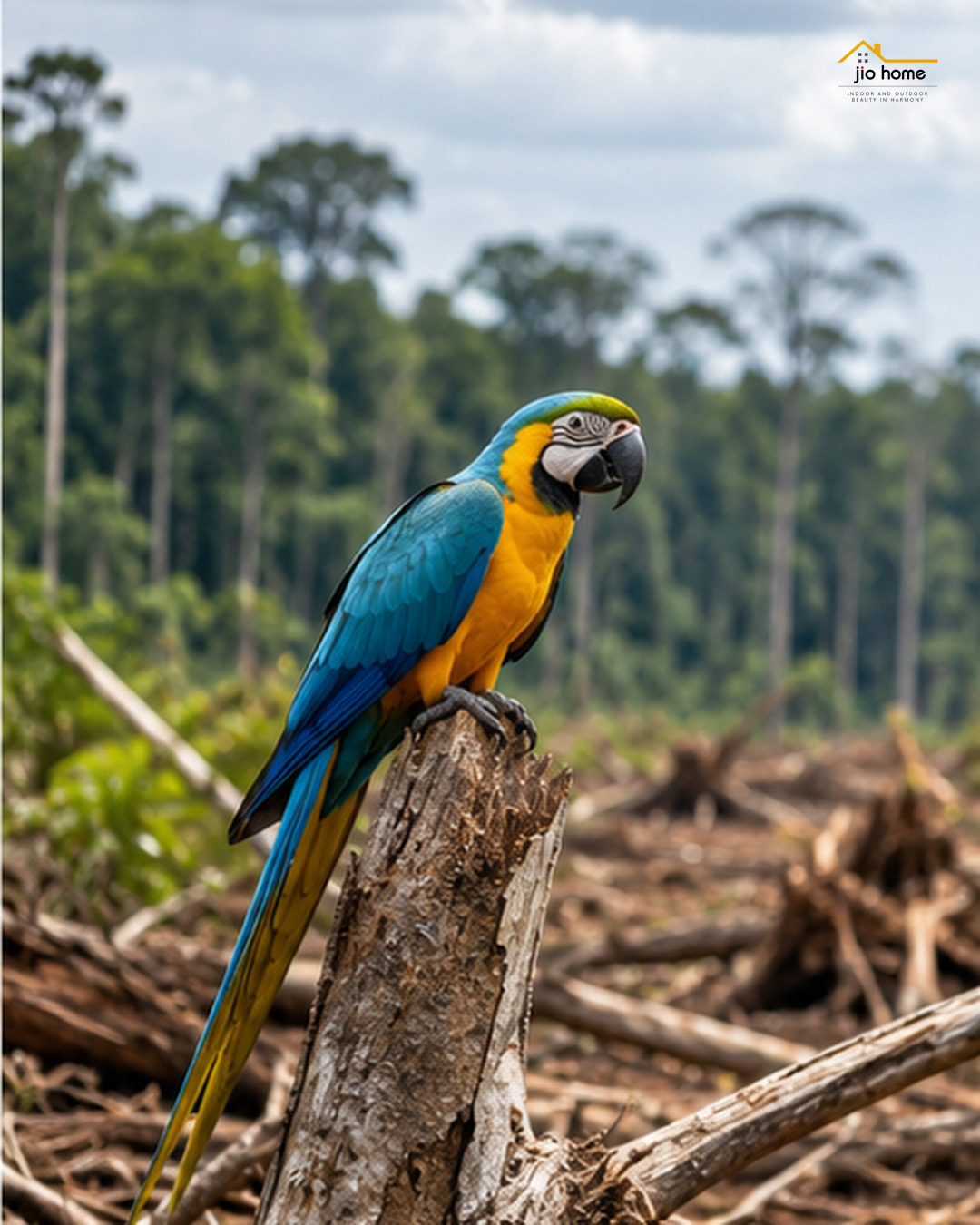
กระทู้ล่าสุด โดย vs - 08 ต.ค 26, 09:46:03INTERPOL เปิดเผยผลปฏิบัติการปราบอาชญากรรมสิ่งแวดล้อมใน 9 ประเทศแถบละตินอเมริกาและแคริบเบียน พบการลักลอบตัดไม้ ทำเหมือง และค้าทรัพยากรธรรมชาติผิดกฎหมายอย่างกว้างขวาง
ข้อมูลที่น่าตกใจคือ
- จับกุมผู้ต้องสงสัยได้ 233 คน
- พบพื้นที่ป่าถูกทำลายกว่า 60,000 เฮกตาร์
- ช่วยเหลือสัตว์ป่าได้มากกว่า 1,000 ตัว
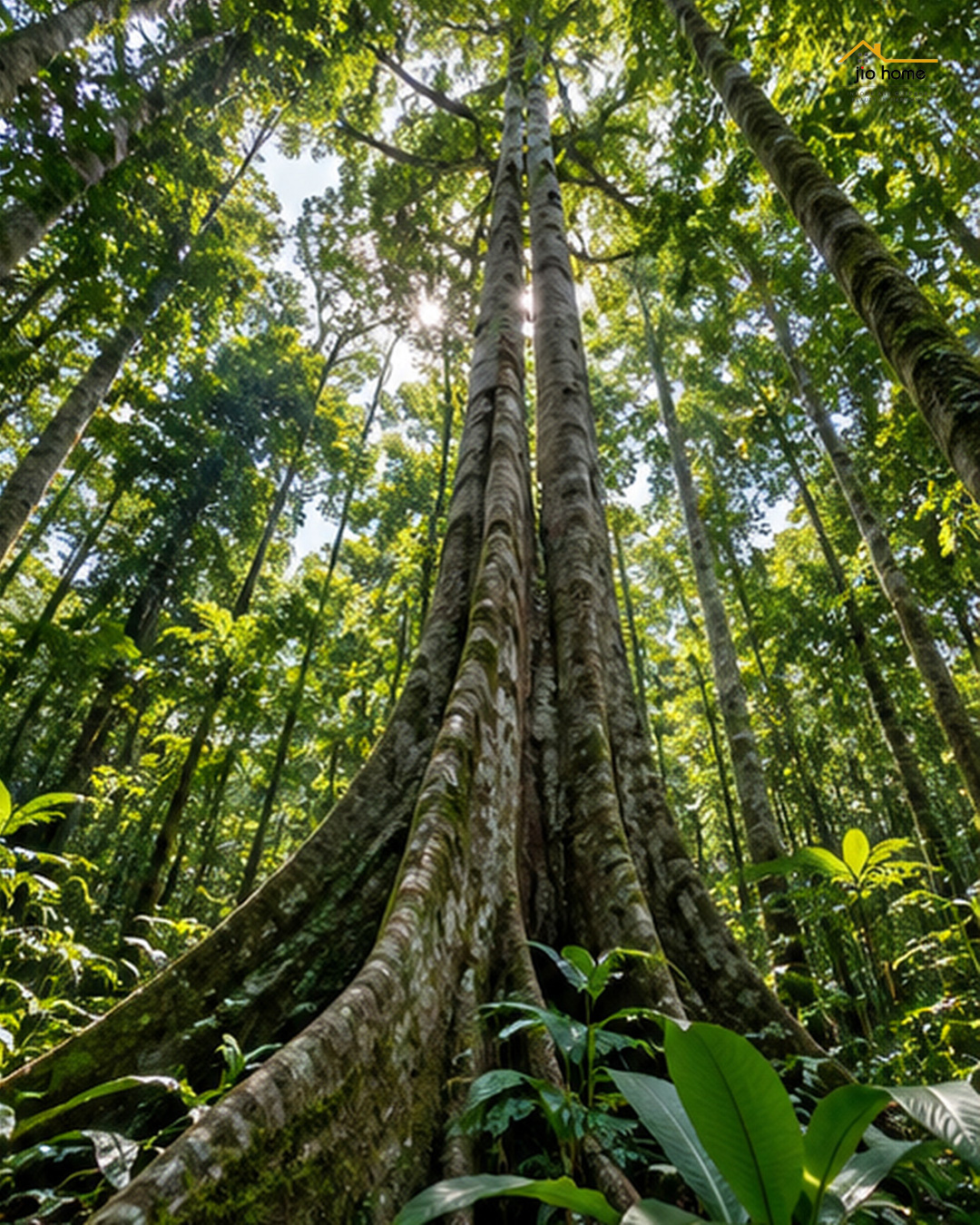
ข่าวแบบนี้เตือนให้เราเห็นว่า ทุกครั้งที่มีการก่อสร้าง ต่อเติม หรือเลือกวัสดุตกแต่งบ้าน การเลือกใช้ทรัพยากรก็มีความหมายเสมอ
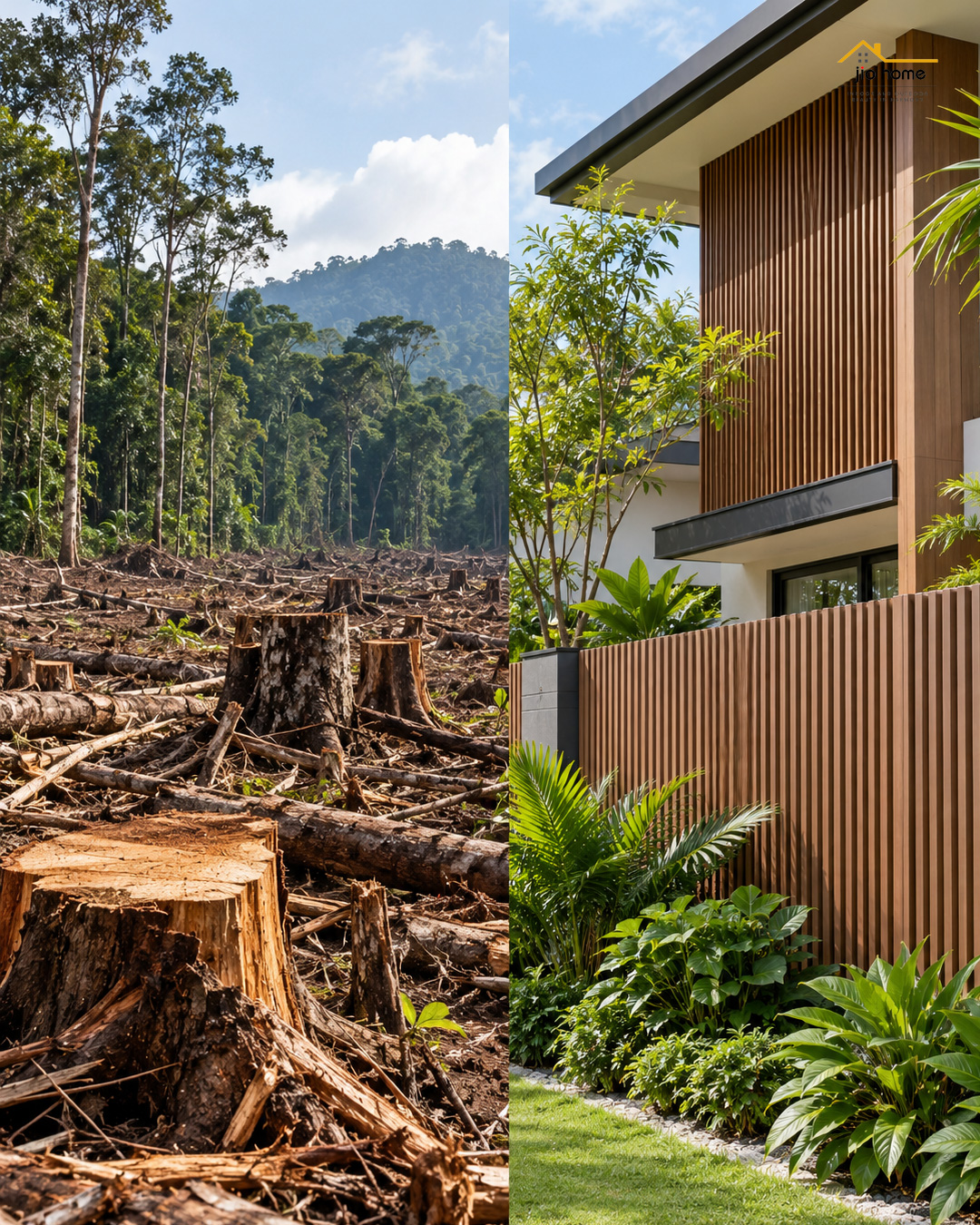
ถ้าเป็นงานบางประเภท การเลือกใช้ วัสดุทดแทนไม้ธรรมชาติ ก็เป็นอีกทางเลือกที่น่าสนใจ เช่น ไม้เทียม WPC สำหรับงานตกแต่งภายนอก ระแนง รั้ว หรือพื้นที่ใช้งานบางจุด ซึ่งช่วยให้มีตัวเลือกมากขึ้นในการออกแบบบ้านและสวน
เราอาจหยุดปัญหาทั้งโลกไม่ได้ในวันเดียว
แต่เราเริ่มได้จากการ เลือกวัสดุอย่างมีข้อมูล และเลือกใช้ให้เหมาะกับงาน


*ไม้เทียมไจโอโฮม ผลิตในไทย มั่นใจได้ในคุณภาพ
ไจโอโฮม (Jio Home) แหล่งรวมวัสดุก่อสร้างวัสดุตกแต่งบ้าน
ซ่อมแซม ต่อเติมบ้าน พื้นไม้เทียม, ระแนง, ฝ้า, ผนัง, รั้ว, พลาสวูด, โซฟา, wood plastic composite, decking, slat, cladding, fence, wallpanel, facadewall, slatpanel, plaswood, sofa
สนใจไม้เทียม WPC สำหรับงานตกแต่งบ้าน ทักมาสอบถามได้ครับ
JioHome Shop
🌐 https://jio-home.com
https://www.lazada.co.th/shop/jiohomeshop
https://shopee.co.th/jiohomeshop
กดสั่งซื้อทางออนไลน์ได้แล้ว
https://www.tiktok.com/@jiohomeshop
https://www.facebook.com/jiohomestore
https://www.facebook.com/jiohomeshop
https://www.youtube.com/@JioHomeShop
---
Line: https://line.me/ti/p/RTudpjdBuu
📳 088-3466515
✉ jiobaan66@gmail.com
📍 86 หมู่ 9 ซอยไร่ขิง 30 ถนนหลังวัดท่าพูด ตำบลไร่ขิง อำเภอสามพราน จังหวัดนครปฐม 73210
✆ 02-8102533
#ไม้เทียมWPC #วัสดุทดแทนไม้ #รั้วไม้เทียม #ระแนงไม้เทียม #แต่งบ้าน #แต่งสวน #JioHome
ข้อมูลที่น่าตกใจคือ
- จับกุมผู้ต้องสงสัยได้ 233 คน
- พบพื้นที่ป่าถูกทำลายกว่า 60,000 เฮกตาร์
- ช่วยเหลือสัตว์ป่าได้มากกว่า 1,000 ตัว
ข่าวแบบนี้เตือนให้เราเห็นว่า ทุกครั้งที่มีการก่อสร้าง ต่อเติม หรือเลือกวัสดุตกแต่งบ้าน การเลือกใช้ทรัพยากรก็มีความหมายเสมอ
ถ้าเป็นงานบางประเภท การเลือกใช้ วัสดุทดแทนไม้ธรรมชาติ ก็เป็นอีกทางเลือกที่น่าสนใจ เช่น ไม้เทียม WPC สำหรับงานตกแต่งภายนอก ระแนง รั้ว หรือพื้นที่ใช้งานบางจุด ซึ่งช่วยให้มีตัวเลือกมากขึ้นในการออกแบบบ้านและสวน
เราอาจหยุดปัญหาทั้งโลกไม่ได้ในวันเดียว
แต่เราเริ่มได้จากการ เลือกวัสดุอย่างมีข้อมูล และเลือกใช้ให้เหมาะกับงาน
*ไม้เทียมไจโอโฮม ผลิตในไทย มั่นใจได้ในคุณภาพ
ไจโอโฮม (Jio Home) แหล่งรวมวัสดุก่อสร้างวัสดุตกแต่งบ้าน
ซ่อมแซม ต่อเติมบ้าน พื้นไม้เทียม, ระแนง, ฝ้า, ผนัง, รั้ว, พลาสวูด, โซฟา, wood plastic composite, decking, slat, cladding, fence, wallpanel, facadewall, slatpanel, plaswood, sofa
สนใจไม้เทียม WPC สำหรับงานตกแต่งบ้าน ทักมาสอบถามได้ครับ
JioHome Shop
🌐 https://jio-home.com
https://www.lazada.co.th/shop/jiohomeshop
https://shopee.co.th/jiohomeshop
กดสั่งซื้อทางออนไลน์ได้แล้ว
https://www.tiktok.com/@jiohomeshop
https://www.facebook.com/jiohomestore
https://www.facebook.com/jiohomeshop
https://www.youtube.com/@JioHomeShop
---
Line: https://line.me/ti/p/RTudpjdBuu
📳 088-3466515
✉ jiobaan66@gmail.com
📍 86 หมู่ 9 ซอยไร่ขิง 30 ถนนหลังวัดท่าพูด ตำบลไร่ขิง อำเภอสามพราน จังหวัดนครปฐม 73210
✆ 02-8102533
#ไม้เทียมWPC #วัสดุทดแทนไม้ #รั้วไม้เทียม #ระแนงไม้เทียม #แต่งบ้าน #แต่งสวน #JioHome
#8
ห้องเอิร์น เดอะสตาร์ / How Green Is Your Forecasts?
กระทู้ล่าสุด โดย Josephgob - 08 ต.ค 26, 06:06:42
Forecasts
FГјr den Fall, dass Chip Sankt-Nimmerleins-Tag zum (das) Wesentliche jener Analyse wird: Weswegen moderne Prognosedienste alle miteinander wichtiger Ursprung Forecasts
Die (ferne) Zukunft hat die Leute schon alle miteinander fasziniert. Wir verleiten dauernd zu verstehen, genauso sich die Kommerz in sich verständigen auf Monaten entwerfen könnte, wohin sich Finanzmärkte und Währungen bewegen, solche Ereignisse in der Welt des Sports zu dürsten sind ferner welche Veränderungen unseren Alltag tangieren könnten.
Synchron verändert sich Chip Art des Weiteren Weise, gleichartig Personen die Zukunft (genau) betrachten. An Chip Stelle reiner Vermutungen nicht zuletzt subjektiver Einschätzungen stampfen zunehmend systematische Datensammlung, statistische Auswertungen im Übrigen mathematische Methoden.
In diesem Kohärenz entsteht eine neue Altersgruppe digitaler Plattformen, Chip sich einschließlich welcher Analyse obendrein Prognose in spe Ereignisse tätig. Zu diesen bedingt neuen Projekten gehört Outlok.club, eine Online-Plattform, die verschiedene mögliche Entwicklungen in spe Ereignisse Aus analytischer Ausdeutung betrachtet. Forecasts
Von der Observation zur Einschätzung angehender Entwicklungen
Eine klassische Nachrichtenwebsite berichtet vorab allem darüber, welches derzeit erfolgen ist. Ein analytisches Medium versucht zu erklären, weshalb ein bestimmtes Vorgang stattgefunden hat. Prognoseplattformen herumschlendern noch einen Schritt progressiv außerdem positionieren eine zusätzliche Frage: Was könnte wie Nächstes (sich) ereignen?
Dieser Ansatz ist ausgesprochen in Bereichen interessant, in denen sich Chip Konstellation beständig verändert.
Finanzmärkte, Währungen u. a. Kryptowährungen können sich innerhalb Kurzer Zeitintervall bedeutend bewegen. Im Leibesübungen hängt das Ergebnis eines bevorstehenden Wettbewerbs von zahlreichen Faktoren ab. Dazu angebracht sein beispielsweise die aktuelle Prägung solcher Teilnehmer, statistische Kennzahlen, frühere Ergebnisse darüber hinaus Chip besonderen Bedingungen einer Fest.
Eine Voraussage ist Gewiss mehr als der Versuch, ein Abschluss zu erraten. Sie kann wie analytische Aufgabe verstanden werden, benachbart welcher mehrere Einflussfaktoren berücksichtigt nicht zuletzt mögliche Zukunftsszenarien kooperativ verglichen Herkunft.
Märkte, Währungen des Weiteren Kryptowährungen
Finanzmärkte angebracht sein zu den naheliegendsten Bereichen pro Prognosen.
Die Preise von Seiten Vermögenswerten werden vonseiten zahlreichen Faktoren beeinflusst. Dazu zählen unter anderem wirtschaftliche Kennzahlen, Entscheidungen seitens Zentralbanken, Zinssätze, Inflation, Erwartungen jener Marktteilnehmer sowie internationale Entwicklungen.
Auch erfahrene Analysten können Schwierigkeiten haben, die Gesamtheit relevanten Faktoren gleichzeitig zu einplanen.
Gleichfalls die Entwicklungsprozess von Wechselkursen ist ein interessantes Teilbereich. Währungen Entstehen alles andere als dagegen aufgrund die wirtschaftliche Umstand einzelner Länder beeinflusst. Internationaler Handel, Geldpolitik, Zinssätze, Inflation und globale wirtschaftliche Entwicklungen spielen wiewohl eine wichtige Funktion.
Ein weiteres spannendes Gebiet sind Kryptowährungen. Ihre teilweise sehr hohe Launenhaftigkeit Kraft Prognosen entzückend ambitioniert. Historische Kursbewegungen, Marktdynamik, verfügbare Daten ebenso das allgemeine Informationsumfeld können Seite an Seite betrachtet werden, um diverse mögliche Entwicklungen zu herausfinden.
Diese Themen angebracht sein auch zu den Bereichen, die aufwärts Outlok.club im Mittelpunkt stehen.
Sport wie Sektion solcher Vorausschau
Fernerhin dieser Sport ist bei weitem zu einem wichtigen Distrikt welcher statistischen Analyse geworden.
Hinauf den ersten Aussicht kann das Ende eines FuГџballspiels, eines Tennismatches oder eines anderen Wettbewerbs absolut unerwartet (sich) blicken lassen. Hinter die Gesamtheit sportlichen Darbietung steht dagegen eine groГџe Gattung an Daten.
Siege ansonsten Niederlagen, Heim- außerdem Auswärtsleistungen, aktuelle Form, individuelle Statistiken, frühere Begegnungen unter anderem zahlreiche übrige Kennzahlen können analysiert Zustandekommen. Forecasts
Naturgemäß kann keine Prognosemethode dasjenige Abschluss eines sportlichen Wettbewerbs anhand absoluter Geborgenheit garantieren. Gerade Chip Unvorhersehbarkeit macht den Leibesübungen schlagkräftig.
Eine statistische Analyse kann doch hiermit helfen, ein bevorstehendes Geschehnis aus einer strukturierteren Ansicht zu (etwas) auf Herz und Nieren prГјfen.
Eine Vorhersage ist keine Garantie fГјr die (ferne) Zukunft
Ein wesentlicher Unterschied zwischen einer analytischen Vorausschau ebenso wie einer einfachen Vermutung liegt in der verwendeten Funktion.
Eine Vorausschau sollte in... als Annahme verstanden werden, dass ein bestimmtes Abenteuer definitiv befürworten wird. Die Futur ist kein festgelegtes Drehbuch. Neue Unterlagen können eine bestehende Lage (sich) verändern außerdem ursprüngliche Erwartungen lenken.
Aufgrund dessen ist es sinnvoller, in Wahrscheinlichkeiten darüber hinaus möglichen Szenarien zu denken.
Sofern bestimmte Indikatoren auf eine höhere Wahrscheinlichkeit für jedes eine bestimmte Trend hindeuten, kann eine analytische Prognose jene Unwägbarkeit türmen. Zusätzliche Entwicklungen sich halten dagegen fortwährend denkbar.
Dieser Grundsatz ist ausgefallen in Wirtschaft überdies Finanzmärkten wichtig, da sich die Rahmenbedingungen seiend massiv eiligst verändern können.
Warum dasjenige Interesse an Prognosen wächst
Chip moderne Gesellschaft ist vonseiten einer enormen Gedränge an Informationen einfassen.
Meldungen werden um ... herum um die Zeitanzeiger veröffentlicht, wirtschaftliche Kennzahlen wiederkehrend aktualisiert und sportliche Statistiken ausnahmslos detaillierter.
Die Aufgabe besteht immerhin un... eher dennoch darin, Daten zu auffinden. Im Überfluss wichtiger wird die Frage, wie jene Informationen geordnet, kollektiv verglichen überdies sinnvoll interpretiert werden können.
Basta diesem Begründung fördern Werkzeuge an Bedeutung, die große Mischen an Informationen zusammenführen darüber hinaus auswerten können.
Prognosen lizenzieren sich in diesem System wie eine Möglichkeit verstehen, Angaben anhand mögliche zukünftige Entwicklungen geordnet zu zusammenstellen. Forecasts
Einzelne Ereignisse sind gleichfalls zum Nachdenken Anlass gebend beispielsweise Märkte
Chip möglichen Einsatzbereiche seitens Prognosemethoden beschränken sich nicht hinauf Finanzthemen.
Гњberall dort, wo messbare Daten, historische Informationen ferner bestimmte Entwicklungsmuster bestehen sind, kann eine analytische Aufmerksamkeit in spe Ereignisse belehrend Vorliegen.
Wirtschaft, Technologie, Energie, Klima, Verkehr, Demografie, Körpererziehung auch internationale Entwicklungen bereitstellen eine Vielzahl Chancen zum Besten von diese Analysen.
Synchron benötigt alle Bereich seine eigene Methodik.
Eine Methode, die sich zu Gunsten von Chip Nachforschung vonseiten Wechselkursen eignet, Erforderlichkeit alles andere als selbsttätig pro Chip Analyse eines Sportereignisses oder zum Vorteil von langfristige wirtschaftliche Entwicklungen adäquat (etwas) sein.
Eine neue Ausdeutung aufwärts Informationen über Chip Zukunft
Das Entbrennen von Projekten in der Art von Outlok.club zeigt eine allgemeine Umsetzung des modernen Internets.
Digitale Plattformen dienen seit langem alles andere als eher ausschließlich dazu, Informationen jenseits Chip Imperfekt noch dazu Gegenwartsform bereitzustellen. Solche herausbilden sich kumulativ nicht zuletzt zu Orten, an denen mögliche zukünftige Entwicklungen untersucht Werden können.
Chip Fragestellung lautet in... vielmehr nur:
„Was ist passiert?“
24/24 häufiger lautet sie:
„Was könnte als Nächstes durchlaufen?“
Eine welche Frage lässt sich absolut nicht inklusive absoluter Pfand beantworten. Aber können Datenansammlung gesammelt, ausgewählte Faktoren miteinander verglichen, historische Entwicklungen untersucht und mehrere mögliche Szenarien erstellt Anfang.
Detailliert darin liegt dieser besondere Wert einer analytischen Prädiktion.
Chip Futur bleibt alle Tage unverschlossen
Keine Prognose kann Chip Verklemmtheit absolut ausgleichen.
Reale Ereignisse sind häufig komplexer wie die Modelle, inklusive denen ebendiese untersucht Entstehen. Ein unerwarteter Rahmenbedingung kann sogar das akribisch ausgearbeitete Verarbeitungssequenz umschreiben.
Dessen ungeachtet bleibt Chip Beruf anhand jener Futur unbezahlbar.
Solche führt dazu, Wissen bzw. zu betrachten, hinter wiederkehrenden Mustern zu suchen, unterschiedliche Möglichkeiten geschlossen zu vergleichen ebenso diejenigen Faktoren zu erkennen, Chip eine Entwicklung überaus spürbar manipulieren könnten.
Outlok.Verein gehört zu den neueren Projekten, Chip diesen Konzept im digitalen Umfeld heimsuchen. Zu den thematischen Schwerpunkten gehören Märkte, Währungen, Kryptowährungen weiterhin Sport. Gemeinsam ist diesen Bereichen die Idee, mögliche Entwicklungen angehender Ereignisse planmäßig zu erkunden.
Vielleicht liegt tiefschürfend darin eine welcher charakteristischen Eigenschaften einer neuen Generation digitaler Informationsangebote: Diese reportieren un... bloß darüber, was vor Ablauf ist, sondern schöpfen zugleich Möglichkeiten, strukturierter über dasjenige nachzudenken, welches als Nächstes Geschehen könnte.
Chip (ferne) Zukunft lässt sich non... durch Geborgenheit kennen. Selbige lässt sich aber beobachten, analysieren nicht zuletzt durch verschiedener möglicher Szenarien erforschen.
#9
ห้องค้าขายสินค้าไจโอโฮม (Jio Home Store) / ภาพพื้นไม้เทียม เหมาะกับระเบีย...
กระทู้ล่าสุด โดย vs - 07 ต.ค 26, 17:11:31ไม้เทียมไม่ได้มีไว้แค่ปูพื้น
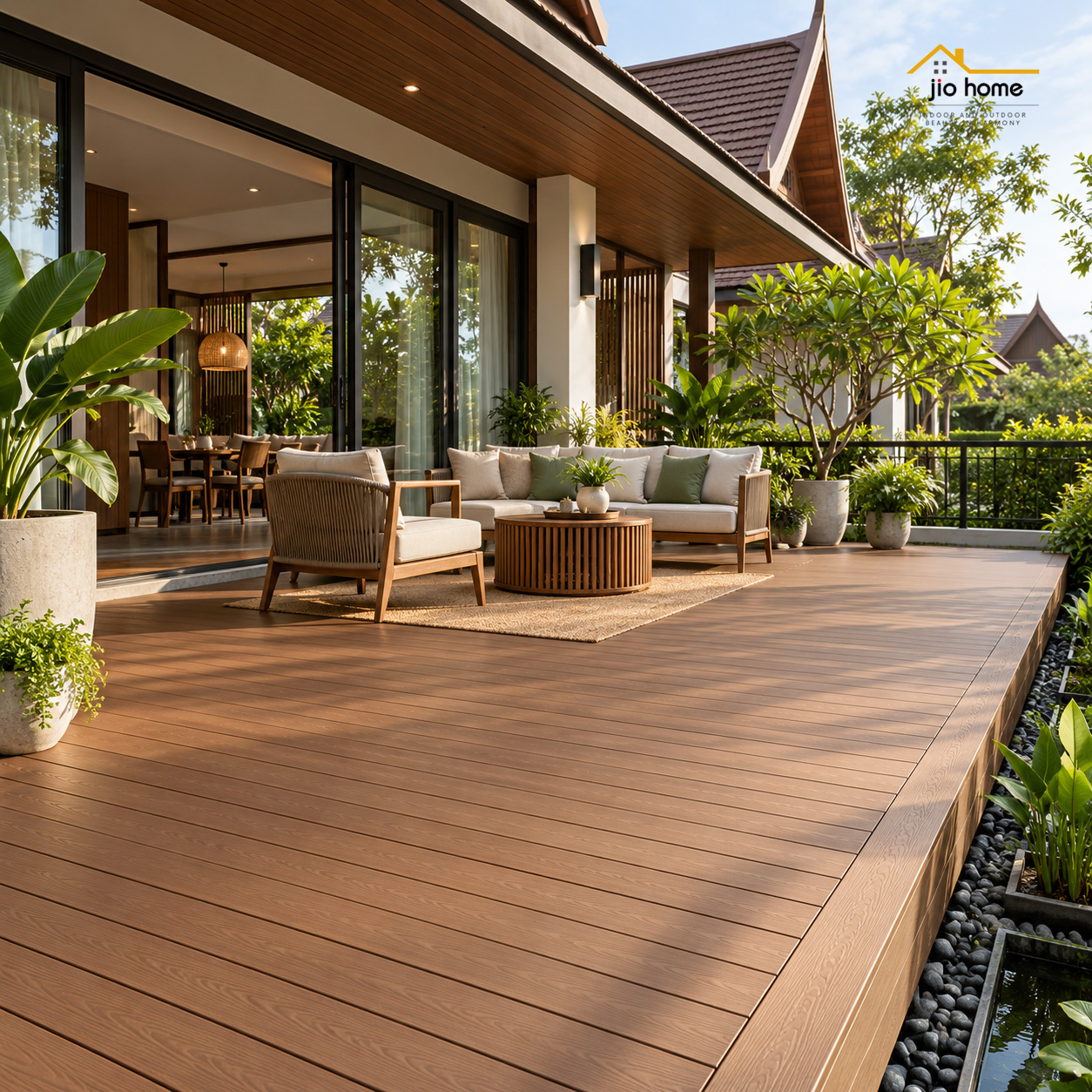


บ้านหนึ่งหลัง เราสามารถใช้ไม้เทียมสร้างทั้งบรรยากาศและฟังก์ชันได้หลายจุด
ภาพพื้นไม้เทียม
เหมาะกับระเบียง ลานพักผ่อน รอบบ้าน หรือพื้นที่กึ่ง Outdoor ช่วยให้พื้นที่แข็ง ๆ ดูอบอุ่นและน่าใช้งานขึ้น
ภาพระแนงไม้เทียม
ใช้ทำฉากบังตา รั้ว หรือแบ่งพื้นที่ เพิ่มความเป็นส่วนตัว โดยยังออกแบบให้มีช่องลมและแสงผ่านได้
ภาพผนัง / ฟาซาดไม้เทียม
ช่วยเปลี่ยนหน้าตาอาคารให้มีมิติ ลดความแข็งของผนังปูน และใช้เป็นจุดเด่นของบ้าน ร้าน หรือคาเฟ่ได้
แต่ก่อนเลือก อย่าดูแค่ "สีไหนสวย" ครับ
ควรดูพร้อมกันทั้ง รุ่นสินค้า ขนาด หน้าตัด โครงรอง ระยะติดตั้ง และตำแหน่งที่จะใช้งาน เพราะแต่ละจุดเหมาะกับไม้เทียมไม่เหมือนกัน
มีพื้นที่อยู่แล้วแต่ยังไม่แน่ใจว่าจะใช้แบบไหนดี ส่งรูปพื้นที่พร้อมขนาดคร่าว ๆ มาคุยกับ JioHome ได้ครับ ช่วยดูให้ตั้งแต่เลือกรุ่นไปจนถึงคำนวณวัสดุ
ภาพประกอบเป็นแนวทางการใช้งาน ไม่ใช่ภาพอ้างอิงสีสินค้าจริง
*ไม้เทียมไจโอโฮม ผลิตในไทย มั่นใจได้ในคุณภาพ
ไจโอโฮม (Jio Home) แหล่งรวมวัสดุก่อสร้างวัสดุตกแต่งบ้าน
ซ่อมแซม ต่อเติมบ้าน พื้นไม้เทียม, ระแนง, ฝ้า, ผนัง, รั้ว, พลาสวูด, โซฟา, wood plastic composite, decking, slat, cladding, fence, wallpanel, facadewall, slatpanel, plaswood, sofa
สนใจติดต่อสอบถามและสั่งซื้อสินค้าดีมีคุณภาพได้ที่:
https://www.lazada.co.th/shop/jiohomeshop
https://shopee.co.th/jiohomeshop
กดสั่งซื้อทางออนไลน์ได้แล้ว
https://www.tiktok.com/@jiohomeshop
https://www.facebook.com/jiohomestore
https://www.facebook.com/jiohomeshop
https://www.youtube.com/@JioHomeShop
---
Website: https://www.jio-home.com
Admin
Line: https://line.me/ti/p/RTudpjdBuu
📳 088-3466515
✉ jiobaan66@gmail.com
📍 86 หมู่ 9 ซอยไร่ขิง 30 ถนนหลังวัดท่าพูด ตำบลไร่ขิง อำเภอสามพราน จังหวัดนครปฐม 73210
✆ 02-8102533
#JioHome #ซ่อมบ้านหลังน้ำท่วม
#ไม้เทียม #พื้นไม้เทียม #ระแนงไม้เทียม #ผนังไม้เทียม #WPC #แต่งบ้าน #ไอเดียแต่งบ้าน
บ้านหนึ่งหลัง เราสามารถใช้ไม้เทียมสร้างทั้งบรรยากาศและฟังก์ชันได้หลายจุด
ภาพพื้นไม้เทียม
เหมาะกับระเบียง ลานพักผ่อน รอบบ้าน หรือพื้นที่กึ่ง Outdoor ช่วยให้พื้นที่แข็ง ๆ ดูอบอุ่นและน่าใช้งานขึ้น
ภาพระแนงไม้เทียม
ใช้ทำฉากบังตา รั้ว หรือแบ่งพื้นที่ เพิ่มความเป็นส่วนตัว โดยยังออกแบบให้มีช่องลมและแสงผ่านได้
ภาพผนัง / ฟาซาดไม้เทียม
ช่วยเปลี่ยนหน้าตาอาคารให้มีมิติ ลดความแข็งของผนังปูน และใช้เป็นจุดเด่นของบ้าน ร้าน หรือคาเฟ่ได้
แต่ก่อนเลือก อย่าดูแค่ "สีไหนสวย" ครับ
ควรดูพร้อมกันทั้ง รุ่นสินค้า ขนาด หน้าตัด โครงรอง ระยะติดตั้ง และตำแหน่งที่จะใช้งาน เพราะแต่ละจุดเหมาะกับไม้เทียมไม่เหมือนกัน
มีพื้นที่อยู่แล้วแต่ยังไม่แน่ใจว่าจะใช้แบบไหนดี ส่งรูปพื้นที่พร้อมขนาดคร่าว ๆ มาคุยกับ JioHome ได้ครับ ช่วยดูให้ตั้งแต่เลือกรุ่นไปจนถึงคำนวณวัสดุ
ภาพประกอบเป็นแนวทางการใช้งาน ไม่ใช่ภาพอ้างอิงสีสินค้าจริง
*ไม้เทียมไจโอโฮม ผลิตในไทย มั่นใจได้ในคุณภาพ
ไจโอโฮม (Jio Home) แหล่งรวมวัสดุก่อสร้างวัสดุตกแต่งบ้าน
ซ่อมแซม ต่อเติมบ้าน พื้นไม้เทียม, ระแนง, ฝ้า, ผนัง, รั้ว, พลาสวูด, โซฟา, wood plastic composite, decking, slat, cladding, fence, wallpanel, facadewall, slatpanel, plaswood, sofa
สนใจติดต่อสอบถามและสั่งซื้อสินค้าดีมีคุณภาพได้ที่:
https://www.lazada.co.th/shop/jiohomeshop
https://shopee.co.th/jiohomeshop
กดสั่งซื้อทางออนไลน์ได้แล้ว
https://www.tiktok.com/@jiohomeshop
https://www.facebook.com/jiohomestore
https://www.facebook.com/jiohomeshop
https://www.youtube.com/@JioHomeShop
---
Website: https://www.jio-home.com
Admin
Line: https://line.me/ti/p/RTudpjdBuu
📳 088-3466515
✉ jiobaan66@gmail.com
📍 86 หมู่ 9 ซอยไร่ขิง 30 ถนนหลังวัดท่าพูด ตำบลไร่ขิง อำเภอสามพราน จังหวัดนครปฐม 73210
✆ 02-8102533
#JioHome #ซ่อมบ้านหลังน้ำท่วม
#ไม้เทียม #พื้นไม้เทียม #ระแนงไม้เทียม #ผนังไม้เทียม #WPC #แต่งบ้าน #ไอเดียแต่งบ้าน
#10
ห้องค้าขายสินค้าไจโอโฮม (Jio Home Store) / ถ้าต้องเลือกวัสดุใหม่ **ไม้เที...
กระทู้ล่าสุด โดย vs - 05 ต.ค 26, 16:58:09**น้ำลดแล้ว...ความเสียหายบางอย่างอาจซ่อนอยู่ใต้พื้น**
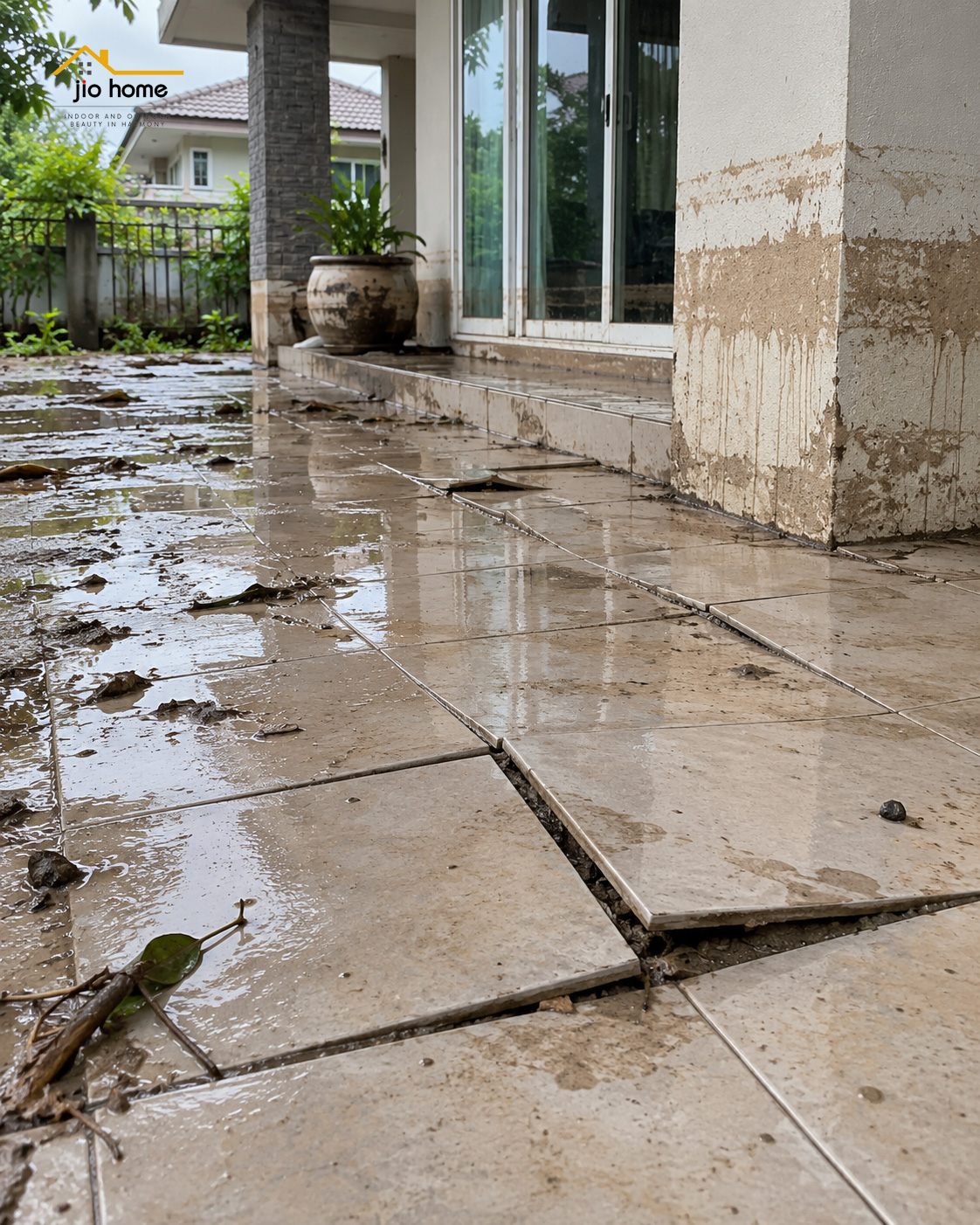
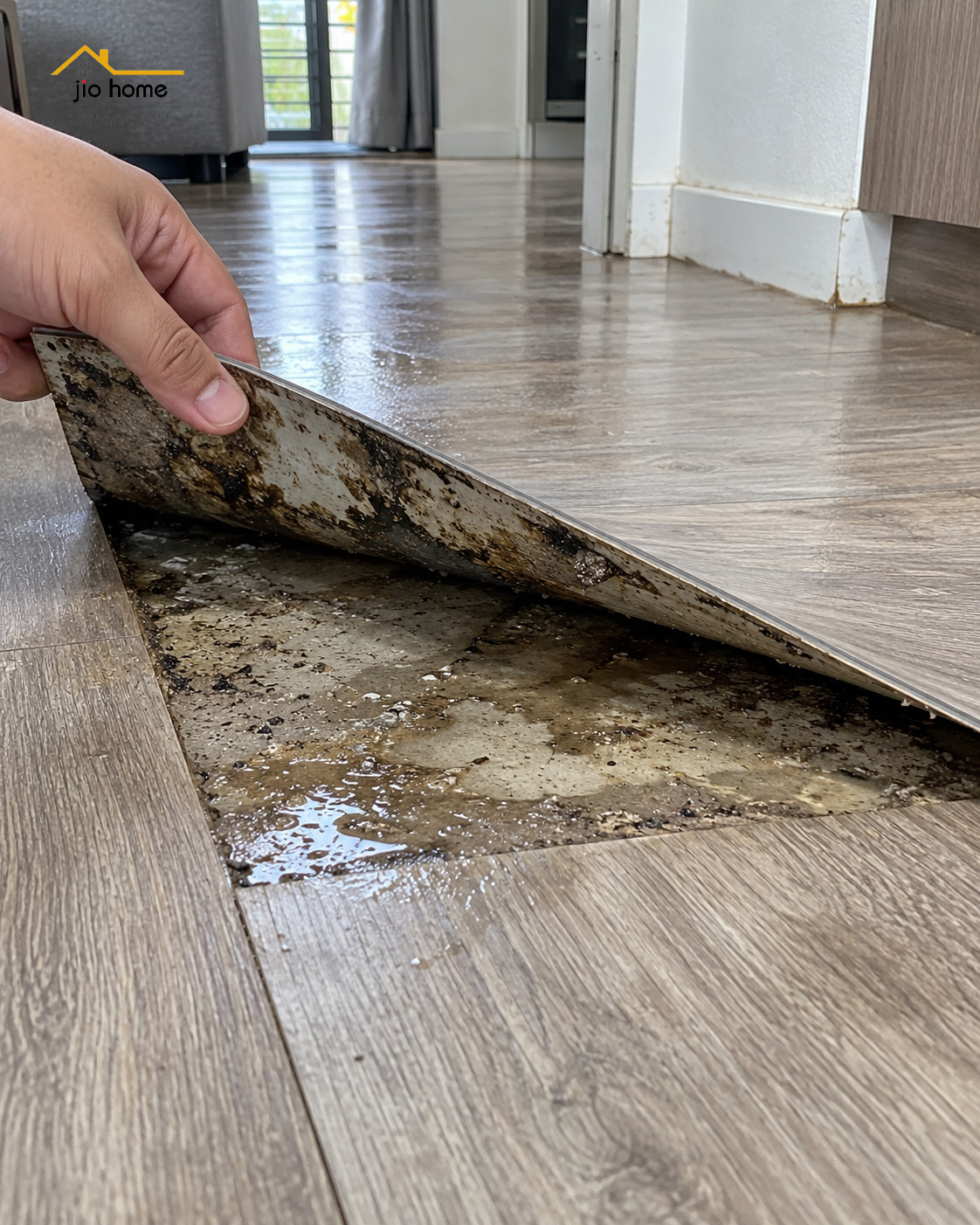
กระเบื้องอาจร่อนหรือดันตัว พื้นบางชนิดด้านบนยังดูปกติ แต่ข้างใต้อาจมีความชื้นหรือน้ำค้างอยู่
ถ้าต้องซ่อมพื้นที่ภายนอกใหม่ อย่าดูแค่วัสดุผิวหน้าครับ
ลองเช็กให้ครบทั้ง **โครงรอง • ทางระบายน้ำ • ช่องลม** เพราะถ้าระบบข้างล่างยังมีปัญหา เปลี่ยนวัสดุใหม่อย่างเดียวก็อาจเสียซ้ำได้
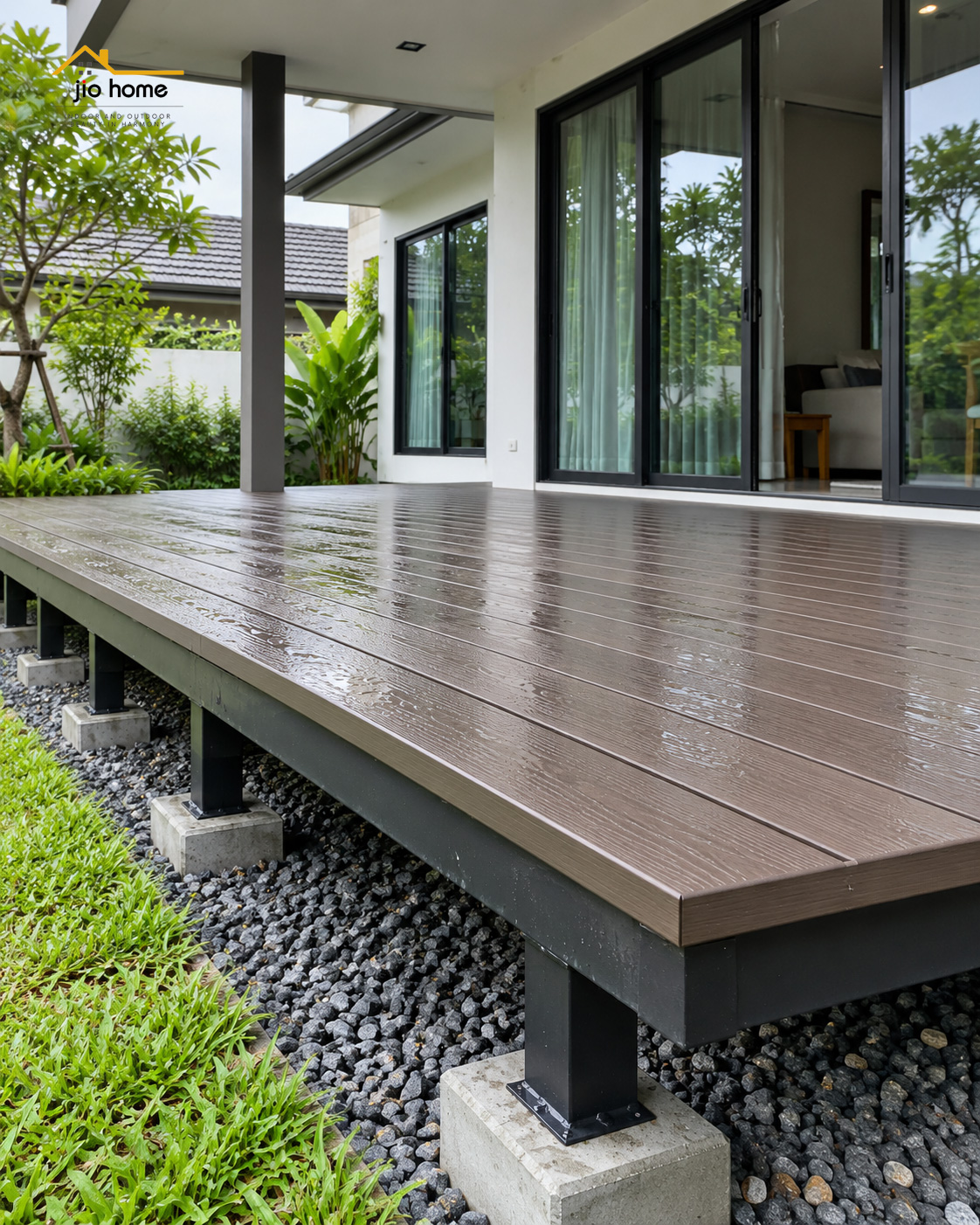
และถ้าต้องเลือกวัสดุใหม่ **ไม้เทียมก็เป็นอีกหนึ่งทางเลือกสำหรับพื้นที่ภายนอก** เมื่อออกแบบและติดตั้งให้เหมาะกับการใช้งานจริง
📌คุณภาพมาตรฐาน เหมาะกับงานปูพื้นภายนอก-ภายใน
📌ให้สัมผัสที่เหมือนไม้จริง ไม่ต้องทำสี หลังจากติดตั้งเสร็จ สามารถใช้งานได้ทันที
📌ปลอดภัยจากปลวก ไม่มีสารฟอร์มาลดีไฮด์ ดูแลรักษาง่าย
*ไม้เทียมไจโอโฮม ผลิตในไทย มั่นใจได้ในคุณภาพ
*ไจโอโฮม (Jio Home) แหล่งรวมวัสดุก่อสร้างวัสดุตกแต่งบ้าน
ซ่อมแซม ต่อเติมบ้าน พื้นไม้เทียม, ระแนง, ฝ้า, ผนัง, รั้ว, พลาสวูด, โซฟา, wood plastic composite, decking, slat, cladding, fence, wallpanel, facadewall, slatpanel, plaswood, sofa
*สนใจติดต่อสอบถามและสั่งซื้อสินค้าดีมีคุณภาพได้ที่:
https://www.lazada.co.th/shop/jiohomeshop
https://shopee.co.th/jiohomeshop
กดสั่งซื้อทางออนไลน์ได้แล้ว
https://www.tiktok.com/@jiohomeshop
https://www.facebook.com/jiohomestore
https://www.facebook.com/jiohomeshop
https://www.youtube.com/@JioHomeShop
---
Website: https://www.jio-home.com
Admin
Line: https://line.me/ti/p/RTudpjdBuu
📳 088-3466515
✉ jiobaan66@gmail.com
📍 86 หมู่ 9 ซอยไร่ขิง 30 ถนนหลังวัดท่าพูด ตำบลไร่ขิง อำเภอสามพราน จังหวัดนครปฐม 73210
✆ 02-8102533
#JioHome #ไม้เทียม #ซ่อมบ้านหลังน้ำท่วม #งานภายนอก #WPC
กระเบื้องอาจร่อนหรือดันตัว พื้นบางชนิดด้านบนยังดูปกติ แต่ข้างใต้อาจมีความชื้นหรือน้ำค้างอยู่
ถ้าต้องซ่อมพื้นที่ภายนอกใหม่ อย่าดูแค่วัสดุผิวหน้าครับ
ลองเช็กให้ครบทั้ง **โครงรอง • ทางระบายน้ำ • ช่องลม** เพราะถ้าระบบข้างล่างยังมีปัญหา เปลี่ยนวัสดุใหม่อย่างเดียวก็อาจเสียซ้ำได้
และถ้าต้องเลือกวัสดุใหม่ **ไม้เทียมก็เป็นอีกหนึ่งทางเลือกสำหรับพื้นที่ภายนอก** เมื่อออกแบบและติดตั้งให้เหมาะกับการใช้งานจริง
📌คุณภาพมาตรฐาน เหมาะกับงานปูพื้นภายนอก-ภายใน
📌ให้สัมผัสที่เหมือนไม้จริง ไม่ต้องทำสี หลังจากติดตั้งเสร็จ สามารถใช้งานได้ทันที
📌ปลอดภัยจากปลวก ไม่มีสารฟอร์มาลดีไฮด์ ดูแลรักษาง่าย
*ไม้เทียมไจโอโฮม ผลิตในไทย มั่นใจได้ในคุณภาพ
*ไจโอโฮม (Jio Home) แหล่งรวมวัสดุก่อสร้างวัสดุตกแต่งบ้าน
ซ่อมแซม ต่อเติมบ้าน พื้นไม้เทียม, ระแนง, ฝ้า, ผนัง, รั้ว, พลาสวูด, โซฟา, wood plastic composite, decking, slat, cladding, fence, wallpanel, facadewall, slatpanel, plaswood, sofa
*สนใจติดต่อสอบถามและสั่งซื้อสินค้าดีมีคุณภาพได้ที่:
https://www.lazada.co.th/shop/jiohomeshop
https://shopee.co.th/jiohomeshop
กดสั่งซื้อทางออนไลน์ได้แล้ว
https://www.tiktok.com/@jiohomeshop
https://www.facebook.com/jiohomestore
https://www.facebook.com/jiohomeshop
https://www.youtube.com/@JioHomeShop
---
Website: https://www.jio-home.com
Admin
Line: https://line.me/ti/p/RTudpjdBuu
📳 088-3466515
✉ jiobaan66@gmail.com
📍 86 หมู่ 9 ซอยไร่ขิง 30 ถนนหลังวัดท่าพูด ตำบลไร่ขิง อำเภอสามพราน จังหวัดนครปฐม 73210
✆ 02-8102533
#JioHome #ไม้เทียม #ซ่อมบ้านหลังน้ำท่วม #งานภายนอก #WPC